

Family Communication Plan for Emergencies: 2026 Guide
Table of Contents
- Why a Family Communication Plan for Emergencies Matters
- Step 1: Build Your Family Emergency Plan Template
- Step 2: How to Set Up an Out-of-Area Emergency Contact
- Step 3: Assign Emergency Roles and Meeting Points
- Step 4: Create an Emergency Communication Wallet Card
- Step 5: Disaster Communication Best Practices for Congested Networks
- Smart Home Tech, Digital Privacy, and Neurodivergent-Friendly Planning
- Practice, Reunification, and Keeping Your Plan Current
- Frequently Asked Questions
Last Updated: September 28, 2026
Why a Family Communication Plan for Emergencies Matters
A family communication plan for emergencies is a written set of instructions telling every household member who to contact, where to meet, and how to check in when phones and networks fail.
Step 1: Build Your Family Emergency Plan Template
Start with a fillable template rather than a blank page. A structured family emergency plan template forces you to answer the questions you'd otherwise forget: who picks up the kids, where the backup meetup is, and who outside the area gets the check-in call.
What Every Template Needs to Include
- Full names, mobile numbers, and work or school addresses for every household member
- Two meeting points: one right outside the home, one outside the neighborhood
- One out-of-area contact with their full number
- The name and address of every school, daycare, and workplace
- Medical needs, medications, and allergies for each person
- A designated person responsible for grabbing the emergency kit
[Preppi Prepper's Survival Guide & Workbook: In Case of Emergency - Shelter-In-Place](https://www.preppiprepper.com/products/a-survival-guide-and-workbook-in-case-of-emergency-shelter-in-place) gives you a printed structure for exactly this, with planner pages and checklists that keep the plan visible.

Step 2: How to Set Up an Out-of-Area Emergency Contact
An out-of-area contact is one person who lives far enough away that they won't be hit by the same disaster as your household. When local networks are jammed, long-distance calls often still get through.
- Ask them directly if they'll take the role, and explain what it involves
- Give them a written list of every household member's name and number
- Tell your kids to call that person, not you, if they can't reach you
Step 3: Assign Emergency Roles and Meeting Points
Every capable person in the household gets a job. This separates a real plan from a contact list.
Assign roles like this:
| Role | Who Fills It | Responsibility |
|---|---|---|
| Grab-and-go lead | Adult 1 | Emergency kit, documents, medications |
| Child pickup | Adult 2 | Collect kids from school or daycare |
| Pet handler | Oldest child or adult | Leash, carrier, food, and water |
| Check-in caller | Everyone | Call the out-of-area contact |
Step 4: Create an Emergency Communication Wallet Card
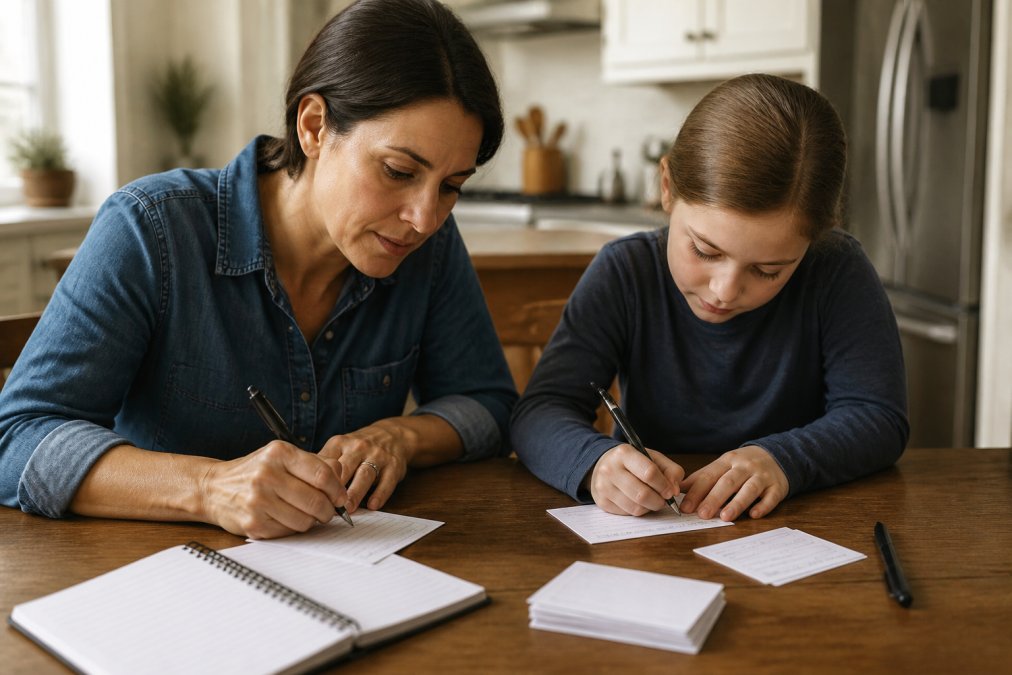
An emergency communication wallet card is a small printed card each person carries with the out-of-area contact, two meeting points, and key phone numbers. Kids keep one in a backpack, adults in a wallet or phone case, the one piece of the plan that travels with a person even when the rest sits in a drawer.
What Goes on the Card
A card that tries to hold everything holds nothing useful. Cap it at:
- Out-of-area contact name and full phone number, written with area code
- Two local meeting points, described in plain words ("the oak tree at the end of our block," not a street address a child can't find)
- One in-town backup contact, if you have one
- Each household member's mobile number, listed by first name
- A single line for medical alerts (allergies, medications), no diagnoses, no full history
- The phrase "text first, call only if urgent" so the card reinforces the plan
Size, Material, and Where It Lives
Print at business-card size (3.5 by 2 inches) so it fits a wallet slot, backpack pocket, or phone case without folding. Laminate it or use synthetic paper.
The Digital Backup, and Why It Isn't Enough
A photo of the card on a phone is a useful backup, not a replacement. Save it to a locked notes app or a password-protected file rather than the camera roll, and make sure it's available offline. The CDC's personal emergency preparedness guidance recommends keeping a physical copy precisely because digital access fails first in a disaster. Your phone may be dead, locked, or out of signal.
Refresh Schedule
Reprint every six months, and immediately after a move, school change, new phone number, change to the out-of-area contact, or new medical need. A card with last year's daycare number is worse than no card, it sends a child to the wrong place with confidence.
The wallet card is a high-value item in your whole plan. It costs almost nothing and it's a piece your child can have on them at school.
Write the out-of-area contact's number in marker, not pen, and circle it. In a panic, the eye goes to the circled number first, and that's the call that matters most.
Don't put the home address on a child's card. If the card is lost or found by a stranger, the address is the one piece of information you don't want out there. Meeting points described by landmark solve the same problem without the risk.
Step 5: Disaster Communication Best Practices for Congested Networks
Disaster communication best practices come down to one rule: text, don't call. Texts are small data packets that slip through congested networks far more easily than a live voice call, and often arrive when a call won't connect.
Text vs. Call: What Works When Networks Are Overloaded
Text wins during congestion: voice calls demand a continuous connection, while texts queue and deliver when a sliver of bandwidth opens. If you must speak, keep it under a minute. If a text won't go through, try once more, then wait rather than hammering send.
A few habits that make this work:
- Send one group text to the out-of-area contact, not five separate messages
- Use a short code word so everyone knows the message is real and not a scam
- Keep phones charged, and carry a backup power bank in the emergency kit
- Save offline maps before you need them
Smart Home Tech, Digital Privacy, and Neurodivergent-Friendly Planning
Three angles most guides ignore: who can see your plan, what your smart home can do, and who can follow the plan under stress.
Digital Privacy: Treat the Plan Like a Bank Statement
A family emergency plan bundles exactly what identity thieves want: full names, home address, school names, work addresses, phone numbers, and medical details. Most guides say store it in the cloud and move on. That's the wrong default.
A few concrete rules:
- Store the master plan in a password-protected file or a reputable password manager's secure notes feature, not in an unprotected cloud folder or a shared drive.
- Share it only with the people named in it. If a grandparent or caregiver needs a copy, give them a printed one rather than a link.
- Turn on two-factor authentication for any account that holds the plan.
- Never post meeting points, school names, or your out-of-area contact's number on social media, including in a "checking in safe" post during an actual event. Scammers monitor those posts.
- If you print copies, label them and keep track of where they are. A plan left in a hotel room or a car glovebox is a plan someone else can read.
Smart Home Integration: What It Can and Can't Do
Smart speakers, connected alarms, and home automation can genuinely help, but only within limits, and the limits matter more than the features.
Book: Survival Guide & Workbook: In →
What works well:
-
Voice-triggered routines that read out your meeting points and out-of-area contact number on command ("Hey [assistant], what's our family emergency plan?")
-
Automated alerts that push a notification when a local emergency alert is issued, so the plan activates without someone having to remember to check
-
Smart lighting that turns on during a power event if you have battery-backed bulbs, which helps kids find their way in the dark
-
Door and window sensors that log activity, useful for confirming whether everyone got out
-
Smart home systems need power and internet. In a regional outage, both are gone. The plan has to work when the smart home goes dark.
-
Voice assistants can't call 911 in most setups, and can't relay a message to your out-of-area contact.
-
Automation routines that depend on cloud services fail when the cloud is unreachable.
Neurodivergent-Friendly Communication Strategies
A standard checklist assumes the reader can scan a list, prioritize under stress, and act. For some family members, that assumption breaks down exactly when the plan is needed most.
What actually helps:
- One action per line. "Grab the go-bag" is one step. "Grab the go-bag, then meet at the oak tree, then call Aunt Maria" is three steps that will be read as one and half-completed.
- Identical wording every time. If the card says "meet at the oak tree," the drill, the voice routine, and the wallet card all say "meet at the oak tree." Paraphrasing creates ambiguity.
- Visual cues. A small picture next to each step, a bag, a tree, a phone, helps younger kids and anyone who reads better with images than text.
- A three-step card for anyone who freezes on long lists. Three steps they can do beats ten steps they abandon.
- A designated calm-down role. Assign one person to stay with a family member who may become overwhelmed, rather than expecting them to self-manage during an evacuation.
- Advance rehearsal, out loud, in the actual locations. A walk to the meeting point on a normal Tuesday is worth more than a written instruction read once.
If a family member gets overwhelmed by long lists, give them a single card with three steps on it. Three steps they can do beats ten steps they freeze on.
Don't assume a family member will "just know what to do" because they've heard the plan discussed. Discussion is not rehearsal. Walk the route, say the words, and repeat until it's routine.
Privacy, smart home tech, and neurodivergent-friendly design aren't extras. They're the difference between a plan that exists on paper and a plan that works for every person in the household.
Practice, Reunification, and Keeping Your Plan Current
A plan you've never rehearsed is a guess. Run a full drill twice a year: walk to both meeting points, have everyone call the out-of-area contact, and time it. Fix whatever breaks.
Frequently Asked Questions
Can you provide an example of a family emergency communication plan?
A basic plan lists every household member, two meeting points (one near home, one outside the neighborhood), an out-of-area contact, and a check-in schedule. For example: if a disaster hits during work hours, everyone texts the out-of-area contact within 30 minutes, then meets at the community center by 6 p.m. Keep a printed copy in your emergency kit and a wallet card with you. The Preppi Prepper Survival Guide & Workbook walks you through building this step by step.
What should an emergency communication wallet card include?
An emergency communication wallet card should list your out-of-area contact's name and phone number, two local meeting points, each household member's phone number, and any medical or allergy notes. Print it on durable paper so it survives water and wear. Update it every six months or whenever a phone number changes. Every family member, including children old enough to carry one, should keep a copy in a backpack or wallet.
How do you establish an out-of-area emergency contact?
Pick someone at least 100 miles away, ideally in a different region, so a local disaster is unlikely to affect them. Ask them first and confirm they are willing to relay messages between family members. Give them a printed copy of your contact list. During an emergency, everyone calls or texts that person instead of each other, which reduces network congestion. Reconfirm the arrangement once a year.
What are the best communication methods when cellular networks are congested?
Text messaging uses less bandwidth than voice calls, so it often gets through when calls fail. If texts fail, try a short voice message, then wait 30 seconds before retrying. Social media and apps like WhatsApp or Signal can work over Wi-Fi when cellular is down. Keep a battery-powered radio for emergency alerts. If you have a landline, it may still work during a power outage. Have at least three fallback methods in your disaster communication best practices.
How often should you practice your family communication plan?
Run a drill twice a year, ideally in spring and fall when you check smoke alarms and update emergency kits. Practice texting your out-of-area contact, reviewing meeting points, and walking through what each person does. After each drill, note what went wrong and fix it. A plan you have never practiced is just a document. Regular drills build the muscle memory that matters when a real emergency happens.
How do you coordinate meeting points if family members are separated during a disaster?
Choose two meeting points: one right outside your home, like the mailbox, and one outside your neighborhood, like a library or community center. The first is for quick evacuations; the second is for when you cannot get home. Make sure every family member, including children, knows both locations and how to get there on foot. If no one can reach a meeting point, everyone checks in with the out-of-area contact, who relays locations.
Most families have good intentions and no written plan. That gap is the whole risk. Preppi Prepper closes it with step-by-step planning guidance, a survival guide and workbook built for shelter-in-place scenarios, and actionable checklists that keep your household ready long after the first draft. Get started with Preppi Prepper and turn scattered supplies and good intentions into a plan your family can actually follow.